

What Are SEO Crawlers? The Complete 2026 Guide
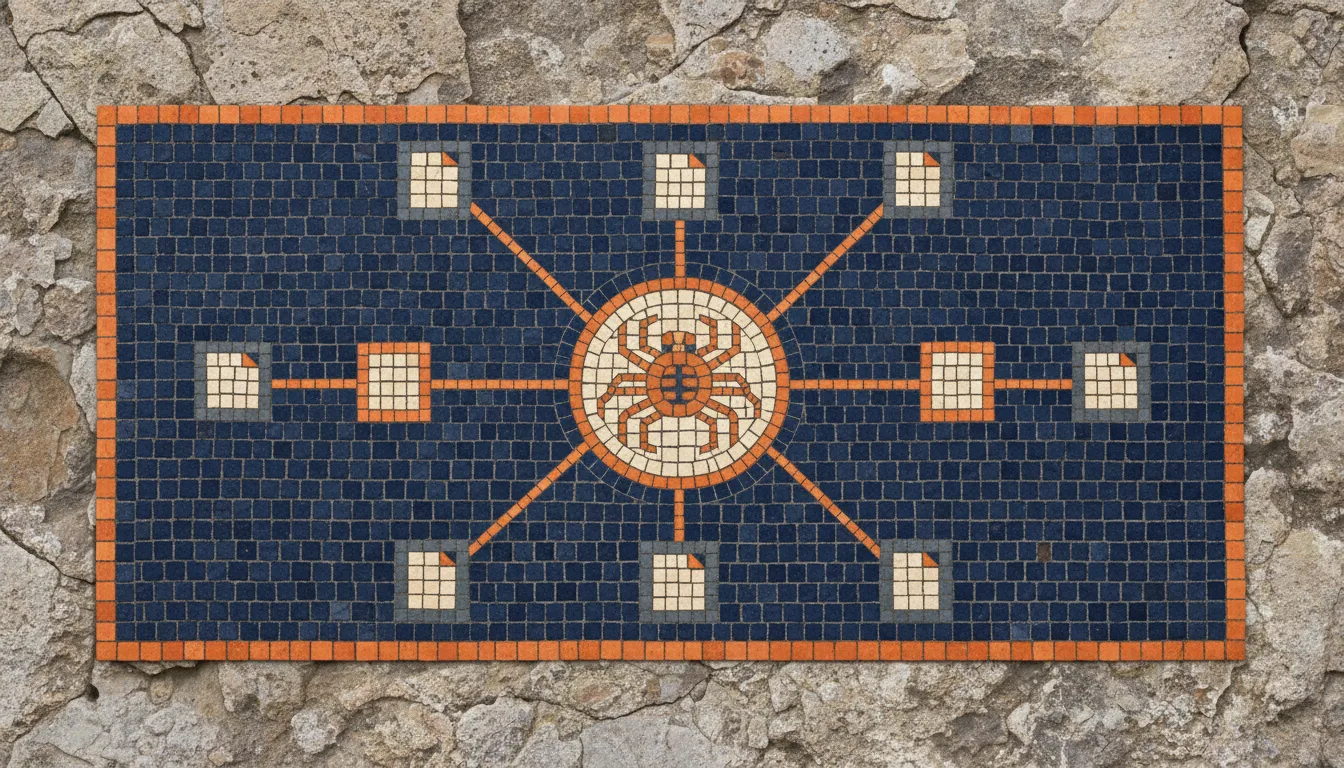
If you have ever wondered how search engines discover and evaluate your website, the answer starts with crawling. Search engines send out automated programs called bots that visit pages, follow links, and index content. An SEO crawler does something similar, but it works for you. It gives you the same bird’s-eye view of your site that a search engine gets, along with detailed reports on every issue it finds.
In this guide, we will break down what SEO crawlers are, how they work under the hood, what they check, and how you can use crawl data to make meaningful improvements to your website. We will also cover how the rise of AI crawlers in 2026 has expanded what a modern SEO crawler needs to check, from JavaScript rendering to structured data and content extraction.
What Is an SEO Crawler?
An SEO crawler is a software tool that systematically browses your website, page by page, to collect data about its structure, content, and technical health. It mimics the behavior of search engine bots like Googlebot, but instead of indexing your content for search results, it presents the findings directly to you in a structured report.
How It Differs from Search Engine Bots
Search engine bots and SEO crawlers share the same fundamental mechanism: they start from a URL, download the page, extract links, and repeat the process. However, there are key differences:
- Purpose. Googlebot crawls your site to build a search index. An SEO crawler crawls your site to help you find problems before Googlebot does.
- Access. Search engine bots respect
robots.txtdirectives and may skip pages you have blocked. Most SEO crawlers let you choose whether to obey or ignore those rules so you can audit everything. - Rendering. Modern search engine bots render JavaScript to see content the way users do. Some SEO crawlers offer JavaScript rendering as well, while simpler ones only parse the raw HTML response.
- Reporting. Googlebot does not send you a report. An SEO crawler gives you exportable data, filterable lists, and visualizations of your site structure.
Think of an SEO crawler as a diagnostic tool. A search engine bot is the exam; the SEO crawler is your practice test.
How SEO Crawlers Work
Behind every crawl report is a multi-step process. Understanding this process helps you configure your crawls correctly and interpret the results with more confidence.
Step 1: URL Discovery
Every crawl starts with one or more seed URLs, typically your homepage. From there, the crawler extracts all hyperlinks on that page and adds them to a queue. Some crawlers also pull URLs from your XML sitemap, giving them a head start on discovering pages that might not be linked from the main navigation.
As the crawl progresses, the queue grows. The crawler keeps track of which URLs it has already visited to avoid infinite loops, especially on sites with faceted navigation or session-based URL parameters.
Step 2: Fetching
For each URL in the queue, the crawler sends an HTTP request to your server, just like a browser would. It records the HTTP status code (200, 301, 404, 500, and so on), response headers, and the HTML body.
Some crawlers let you set a custom User-Agent string. This is useful if your server delivers different content to different bots, which lets you see exactly what Googlebot or Bingbot would receive.
Step 3: Parsing
Once the HTML is downloaded, the crawler parses it to extract structured data points:
- The
<title>tag and meta description - Heading tags (
<h1>through<h6>) - Canonical tags and hreflang attributes
- Image
srcandaltattributes - Internal and external links
- Structured data (JSON-LD, Microdata)
- Open Graph and Twitter Card meta tags
- Response time and content size
This parsing step is where the real value lies. A human reviewing a single page might catch a missing title tag, but a crawler can flag that same issue across ten thousand pages in minutes.
Step 4: Storing and Reporting
All extracted data is stored in a local database or in-memory structure. The crawler then generates reports that group issues by type and severity. Common report categories include broken links, duplicate titles, missing alt text, redirect chains, and orphan pages.
Good crawlers let you filter, sort, and export this data so you can prioritize fixes based on impact.
Render Modes: HTML-Only vs Headless Browser

How a crawler fetches pages affects what it can see, and this decision matters more in 2026 than it did five years ago.
HTML-only crawl. The crawler downloads the raw HTML response and parses it. Fast, cheap, and accurate for sites where content is server-rendered. Misses anything injected by JavaScript after the initial HTML loads.
Headless browser crawl. The crawler opens each page in a real browser engine (usually Chromium), waits for JavaScript to execute, then captures the rendered DOM. Slow and expensive in CPU and memory, but it sees what a user (and Googlebot, after rendering) actually sees.
For sites built with React, Vue, Angular, or any framework that hydrates content client-side, an HTML-only crawl will report empty pages or missing links that actually exist. The result looks like a site full of broken metadata when really the crawler just did not run the JavaScript.
The right choice depends on your stack. A statically generated Astro or Next.js site can be crawled HTML-only without losing fidelity. A single page application built with client-only rendering needs headless browser mode or the report is misleading. A growing number of crawlers offer both modes, letting you HTML-crawl the bulk of the site fast and headless-render only the templates where it matters.
What Does an SEO Crawler Check?
The specific checks vary by tool, but most SEO crawlers evaluate the following areas.
Broken Links and Server Errors
A crawler flags any internal link that returns a 4xx or 5xx status code. Broken links frustrate users and waste crawl budget. They also signal to search engines that your site may not be well maintained. The crawler will typically show you both the broken URL and the page that links to it, making fixes straightforward.
Meta Tags
Title tags and meta descriptions are the most visible elements of your search listings. A crawler checks for missing titles, duplicate titles across different pages, titles that are too long or too short, and meta descriptions that are absent or duplicated. Even a single duplicate title tag across two high-traffic pages can cause keyword cannibalization.
Heading Structure
Search engines use headings to understand the hierarchy and topic structure of your content. A crawler will check whether each page has exactly one <h1>, whether headings follow a logical order (no jumping from <h1> to <h4>), and whether heading text is descriptive rather than generic.
Images
For every image on your site, a crawler checks whether an alt attribute is present. Missing alt text is both an accessibility issue and a missed SEO opportunity. Some crawlers also report oversized images that could slow down page loads.
Redirects and Redirect Chains
A single 301 redirect is fine. A chain of three or four redirects is a problem. Each hop adds latency and dilutes link equity. Crawlers trace the full redirect path for every URL, making it easy to find and collapse long chains. The redirect chains guide covers detection and the patterns that prevent chains from coming back.
Canonical Tags
Canonical tags tell search engines which version of a page is the “official” one. Common issues include missing canonicals, self-referencing canonicals on pages that should point elsewhere, and canonical tags that point to non-existent URLs. A crawler surfaces all of these. The canonical tags guide walks through the five most common patterns and how to fix them.
Page Speed Indicators
While a crawler cannot run a full Lighthouse audit on every page, it can measure server response time (Time to First Byte), HTML file size, and the number of resources requested. These metrics give you a rough but useful picture of performance at scale.
Structured Data
JSON-LD and other structured data formats help search engines display rich results. A crawler can detect the presence of structured data on each page and, in some cases, validate it against schema.org specifications. Pages with broken or missing structured data lose out on enhanced search appearances. The schema markup guide covers the types that matter most and how AI search engines use them.
Robots Directives
A crawler checks your robots.txt file for blocked paths and examines each page for noindex, nofollow, and other meta robots directives. Accidentally noindexing an important page is one of the most common and damaging technical SEO mistakes, and a crawl report makes it immediately visible.
AI Crawlers in 2026 and Why They Change the Picture

The crawling landscape changed when AI search engines started fetching pages independently of Google. The bots that matter now include:
- GPTBot (OpenAI, used for training and ChatGPT browsing)
- ClaudeBot (Anthropic, used for Claude’s web search)
- PerplexityBot (Perplexity, used to populate AI answers)
- Google-Extended (Google’s opt-out token for AI training, separate from Googlebot)
- CCBot (Common Crawl, used by many AI training pipelines)
Each of these has its own rules, its own respect for robots.txt, and its own rendering capabilities. Most do not render JavaScript at all, which means a JS-heavy site that ranks fine in Google can be invisible to ChatGPT and Perplexity.
A modern SEO crawler should let you simulate fetches as each of these bots, so you can answer questions like:
- Does my page return the same content to GPTBot as to a normal browser?
- Are my AI-relevant pages (FAQ, how-tos, comparisons) reachable without JavaScript?
- Did I accidentally block ClaudeBot in robots.txt while trying to block scrapers?
Cross-reference your AI exposure against your crawl budget strategy, since AI bots add load that competes with traditional search bots for the same server resources.
How to Read and Interpret Crawl Results
A crawl report can contain thousands of data points. The key is knowing where to focus.
Start with High-Severity Issues
Most crawlers categorize issues by severity. Start with errors (broken pages, server errors, noindexed pages that should be indexed) before moving to warnings (long titles, missing descriptions) and notices (minor best-practice suggestions).
Look for Patterns
A single missing meta description is a quick fix. Five hundred missing meta descriptions suggest a template-level problem. When you see the same issue repeated across many pages, look for the common denominator: a shared template, a CMS setting, or an automated generation rule.
Cross-Reference with Analytics
Crawl data tells you what is broken. Analytics data tells you what matters. A broken link on a page with ten monthly visits is low priority. The same issue on a page with ten thousand visits needs immediate attention. Cross-referencing crawl results with traffic data helps you allocate your time effectively.
Track Changes Over Time
Running regular crawls lets you track whether issues are being resolved or accumulating. If you fixed 50 broken links last month but 60 new ones appeared, something in your publishing workflow needs attention.
When to Run SEO Crawls
Crawling is not a one-time activity. Different situations call for different crawl schedules.
Before a Site Launch
Crawl the staging environment before going live. Catch broken links, missing redirects, placeholder content, and misconfigured canonical tags before they affect real users and search rankings.
After a Site Migration
Migrations, whether changing domains, restructuring URLs, or moving to a new CMS, are the highest-risk moments for SEO. Run a crawl immediately after migration to verify that all redirects are in place and no pages have been lost.
After Major Content Updates
Publishing a large batch of new pages, restructuring your navigation, or changing URL patterns all warrant a fresh crawl. These changes can introduce issues that are invisible from the CMS dashboard but obvious in a crawl report.
Regular Audits
Even without major changes, websites accumulate issues over time. External sites remove pages you link to, CMS updates alter HTML output, and content editors make mistakes. A monthly or quarterly crawl keeps your site healthy.
Choosing a Crawler: Free, Open Source, and Commercial
The market splits into three categories, each with a different cost-versus-power tradeoff. If you are looking for the single best SEO crawler, the honest answer is that it depends on the job, and the fastest way to decide is a side-by-side view. For a tool-by-tool breakdown on price, JavaScript rendering, and free tiers, see our guide to the best SEO crawlers compared.
Free desktop crawlers. Single-user tools that run locally. Limited URLs per crawl in the free tier (or unlimited in some cases), no monthly cost, and no data leaves your machine. Good for small sites and one-off audits. Examples: Seodisias (free, unlimited URLs, desktop), Screaming Frog free tier (500 URLs).
Open source crawlers. Command-line tools you run yourself. No URL limit, free forever, but you assemble the workflow. Good for engineers comfortable with the terminal. Examples: builds on top of Scrapy or Playwright, custom Node.js crawlers.
Commercial cloud crawlers. Hosted services that crawl your site on a schedule and present dashboards. Subscription pricing scales with site size and frequency. Good for teams that want continuous monitoring without running infrastructure. Examples: Ahrefs, Semrush, Sitebulb cloud.
The decision tree:
- One site, audit a few times a year? Free desktop.
- Multiple sites, agency workflow? Free desktop or open source.
- Single large site, need continuous monitoring and alerting? Commercial cloud.
- Engineering team that wants the data in their own pipeline? Open source.
Seodisias sits in the free desktop category by design: no URL limit, no subscription, all data stays on your machine. The full feature set is documented on the features page, and the roadmap shows what is shipping next, including SERP tracking and log file analysis.
Putting Crawl Data to Work
Collecting data is only the first step. The real value comes from acting on it. Here is a practical workflow:
- Run the crawl and export the full report.
- Filter by severity and address critical errors first.
- Group similar issues and fix them at the template level when possible.
- Verify your fixes by re-crawling the affected sections.
- Document what you changed so your team can avoid repeating the same mistakes.
- Schedule your next crawl to catch new issues early.
Technical SEO is not a one-time project. It is an ongoing practice. An SEO crawler is the tool that makes that practice systematic, thorough, and efficient. Whether you are managing a small business site or a large e-commerce catalog, regular crawling is one of the highest-leverage activities you can invest your time in.
Looking for something else?
Search every guide on the blog without going back to the list.